Convio
API KEYGuided project pipelines, expert skills, and stages for security, testing, and launch. Choose individual tools after connecting your Convio API key.
THE AVERNICAI DESKTOP WORKSPACE
Your agent, editor, browser, and tools. Together in a workspace that makes room for your next big idea.
Bring your own models · Local tool discovery · Built on OpenCode
Edit with Monaco, search your project, review Git changes, and bring a code selection straight into chat.
View real desktop screenshotUse provider accounts, API keys, or a compatible local endpoint. Choose what fits the job.
Local discovery finds relevant skills and tools before the first primary model request.
Go from conversation to code, a browser, documents, and creative tools without losing your place.
A REAL EDITOR. RIGHT HERE.
AAi’s integrated IDE puts hands-on development alongside your agent. Open a project, start a session, and make the workspace yours.
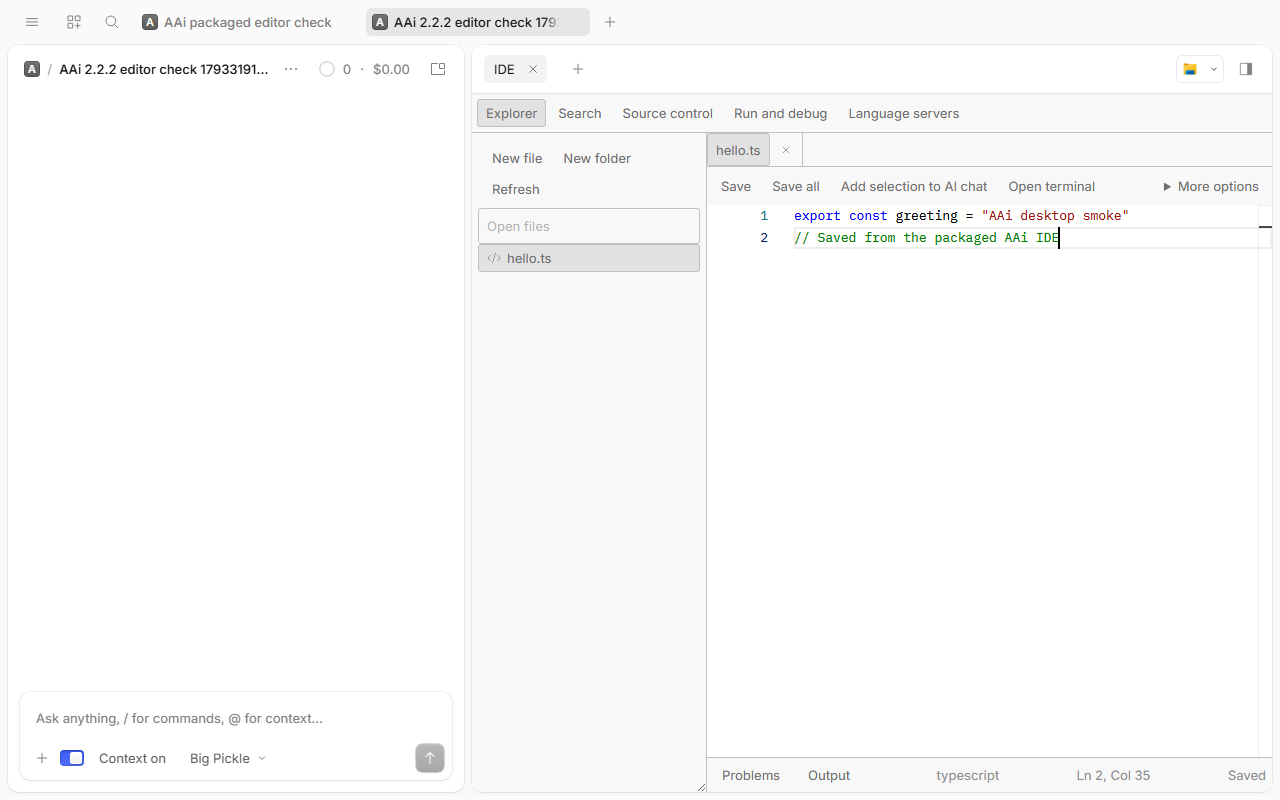
Files, workspace search, syntax highlighting, and code selections sent to chat.
Inspect diffs, stage changes, and commit directly from source control.
Completions and diagnostics, with support for installed language servers.
Integrated terminals and debugging with a configured DAP adapter.
CAPABILITY BEFORE COMPLEXITY
AAi ranks available skills and tools locally for your prompt. Relevant capabilities surface first; detailed tool signatures load when they’re needed.
Designed to reduce unnecessary context and avoid a separate discovery model request. Actual usage and costs depend on your provider and workflow.
Meet your integrationsIllustrative flow · Tool access follows your configuration and permissions.
EXPLORE THE DESKTOP
From daily coding to the tools that take you further. Explore what’s built in and what you can connect.
No capabilities match. Try another term or select Everything.
BUILT TO CONNECT
Start with the included integrations. Connect your accounts and enable the tools your workflow needs.
Guided project pipelines, expert skills, and stages for security, testing, and launch. Choose individual tools after connecting your Convio API key.
Procedural assets, inspection, rendering, validation, and GLB export. A bundled host and Blender runtime get you started; live Blender and Godot connections need their editor add-ons.
Your signed-in Merlin web workspace inside AAi, with a persistent profile. Use free or paid models available to your Merlin account. Merlin’s own plans and limits apply.
This is the Merlin web experience; AAi’s agent provider is selected separately.Connect AI to a live Blender scene with the included MCP preset. Requires Blender, the upstream add-on, and uv.
Repository and artifact comparison, updates, and license checks. Repository workflows need Git and Python; artifact extraction requires Docker and gVisor on Linux.
Bring reverse engineering workflows to your workspace. The preset uses REA’s MCP server; install rea-agents and its supported Node runtime first.
Add local or remote servers, import configuration, and manage enabled tools. AAi also includes an experimental desktop-hosted capability discovery endpoint.
A WORKSPACE THAT FEELS LIKE YOURS
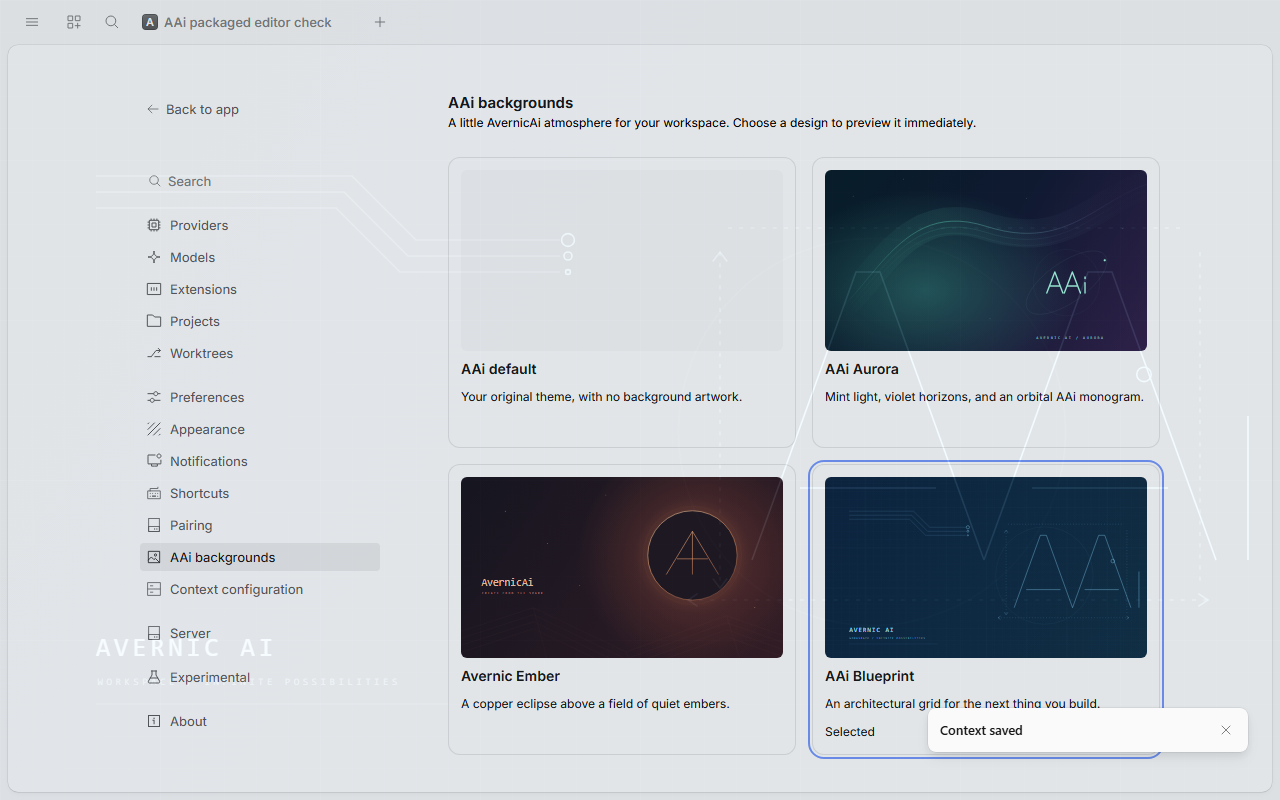
Choose AAi themes, switch between light and dark, and pair them with Ember, Aurora, Blueprint, or your own background. Tune colors, then import or export your theme.
This website uses AAi Ember’s light and dark color palettes.
YOUR FIRST SESSION
Start with a project and a model. Add the rest as your work grows.
Download the Windows x64 desktop preview and run the installer.
Connect a supported provider or configure your own compatible endpoint. Usage is billed by your provider.
Start a session, bring files into context, and open the IDE or browser alongside your agent.
Enable skills and MCP integrations. For Convio, provide your key and select the tools you want.
A FEW USEFUL DETAILS
AAi is AvernicAi’s AI desktop workspace, built on OpenCode. It brings agent conversations, an IDE, terminals, a browser, skills, and integrations together. The project also includes terminal and web workflows.
Yes. Connect supported providers with your own credentials, or configure a compatible endpoint and model ID. Local endpoints can be used where compatible. Model availability, capabilities, and costs depend on the provider you choose.
AAi’s source is MIT licensed. Provider usage, hosted services, and third-party subscriptions can have separate charges. Merlin’s free and paid access follows your Merlin account. No paid model access is included with the desktop download.
AAi ranks eligible tools and skills locally before the first primary provider request and loads detailed tool signatures on demand. This helps keep unnecessary tool context out of the request, without adding a separate discovery model call. Savings vary by task, model, and configuration.
Some do. Convio needs an API key; Merlin needs sign-in. Ultima3D includes its host and runtime, while live editor connections need add-ons. Blender MCP, REA, and some Pullstack workflows need the dependencies listed above. You choose which tools to enable.
AAi provides permission controls and tool approvals. Review changes in the workspace and manage the tools available to your sessions. Desktop mouse and keyboard actions are intended for a local interactive Windows session.
This package includes the current Windows x64 development preview, version 2.2.9. Preview builds can change and may have rough edges. The repository contains the broader project and platform build configuration.
YOUR NEXT IDEA STARTS HERE
Bring your curiosity. Bring your models.
Build something with AAi.
Windows x64 · v2.2.9 development preview · SHA-256 checksum
Large download: approximately 629 MB. Includes the Ultima3D runtime.